COMPANION & MEMBRAIN
What an AI-first company means
Our own knowledge, made operational.
SPAIDER is an AI-first company, and our day-to-day work runs on tools we build for ourselves. Our Physics-AI verticals exist because engineering companies sit on archives of converged simulations: knowledge that cost years of engineering time and does nothing between projects.
Simulation archives are not the only knowledge we were leaving on the table. Calls, tenders, analyses, design decisions, the answers senior engineers give ten times a week: all of it is written down somewhere, and almost none of it is at hand when it is needed.
So we built the infrastructure to collect that knowledge as it is produced and have it at hand the moment it is needed.
It comes down to two internal tools:
• MEMBRAIN: the memory that keeps it. Everything we produce, distilled into plain pages that link to one another and cite the file they came from.
• COMPANION: where that memory goes to work. One workspace in which the team researches, writes, plans and follows up contacts, every agent reading the same pages before it acts.
We run our own company on both, every day, before anyone outside it sees them.
This is how we run the company itself, at 360 degrees: commercial work, grants, research, planning, hiring. Everything the company knows is condensed into a single brain, and the agentic capabilities built on top of it do the day-by-day work with us, always from the same memory, never from a guess.
MEMBRAIN · our company memory
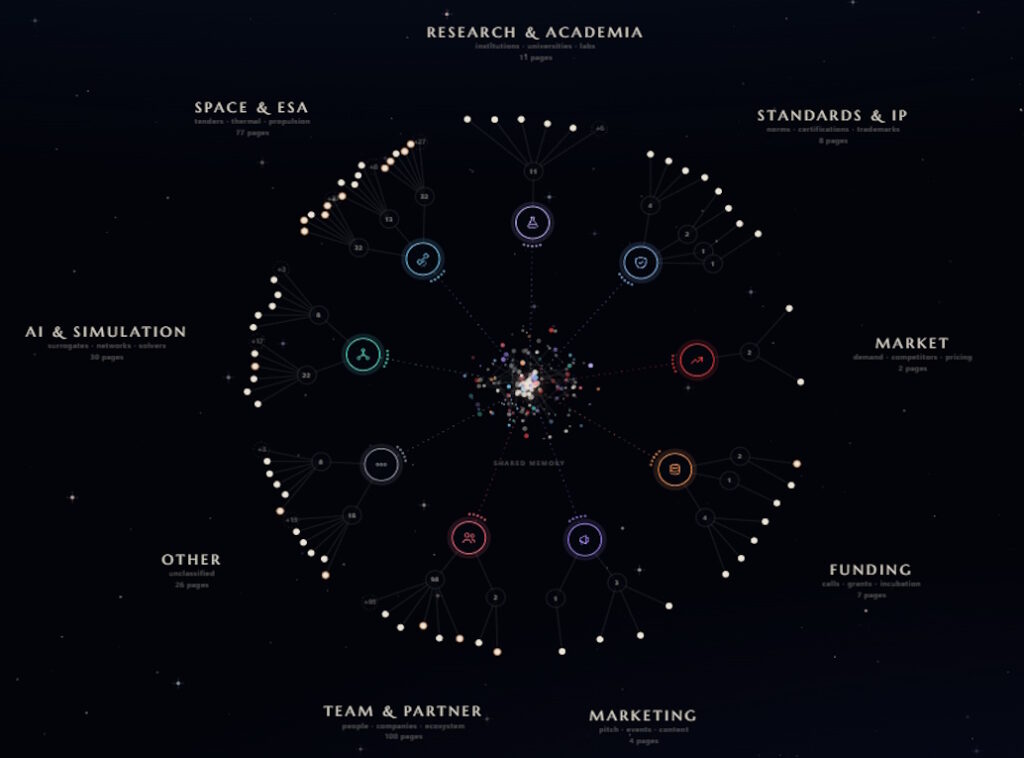
Each branch of the graph is a department. At the centre sits the shared memory they all draw on.
Storage: plain Markdown pages with links, readable without the tool
Retrieval: graph navigation · no embeddings · no vector database
Provenance: source file, SHA-256 checksum and ingestion date on every page
History: append-only · pages are never rewritten or deleted
Updates: incremental · unchanged files are skipped by checksum
Page types: concepts · entities · projects · reference
Viewer: interactive graph, one branch per department
COMPANION · the workspace
One web workspace, one address, one engine. The team researches, writes, plans and follows up contacts in it, and every agent reads the same pages before it acts.
Modes: research · generate · plan · CRM
Grounding: MEMBRAIN, the same memory for every mode
Rules: plain text files, owned by the team that uses them
Output: branded documents, filled databases, dated contact logs
Traceability: every answer cites the file it came from
How it works
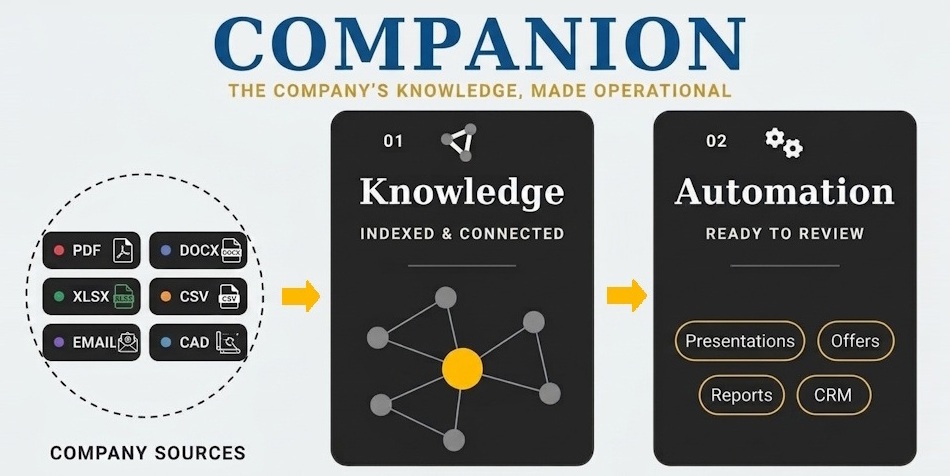
Documents go in, a memory sits in the middle, finished work comes out. MEMBRAIN reads what we produce, a call transcript, a tender PDF, a competitor teardown, and distils it into plain pages that link to one another. COMPANION is a single web workspace where the team researches, writes, plans and follows up contacts, and every agent in it reads the same pages before it acts. Every answer can be traced back to the file it came from.
Vector search is repeatable but understands nothing; a language model left to curate on its own understands, but invents. MEMBRAIN splits the job. A frozen, versioned filter decides deterministically what gets remembered, and the model only distils what passes. No embeddings, no vector database: the structure is the retrieval.
Behind every answer is a memory built in five steps, each one you can inspect, repeat and change:
• Seed: A short onboarding interview records what the company does and what matters to it — ours first, and any company MEMBRAIN is set up for. It is the starting point the rest of the pipeline is anchored to.
• Dictionary: An agent reads a small, stratified sample of the archive and proposes a data dictionary: entity types, key terms, identifiers, noise markers. Once approved it is frozen and versioned. It can be extended, never rewritten.
• Filter: Every file is scored against the dictionary, deterministically. Accepted files move on; rejected ones are set aside in quarantine, never deleted. The model never decides what gets remembered.
• Distil: The model reads only what passed the filter and writes it into concept, entity and project pages, each linked to the pages it relates to and to its source.
• Query: A question activates the pages it touches and spreads along their links until it settles on a closed set. The answer is written from those pages only, and cites them.
One more check runs continuously: the rejection rate. When it spikes, the dictionary has gone blind on a new domain, and MEMBRAIN proposes extending it rather than quietly forgetting what it cannot read.
One web workspace, one address, one engine. Switching mode changes the work area, not the tool: the same memory, the same rules, the same look. Every rule that shapes an agent's work (who counts as an ideal customer, what makes a grant a fit, when a contact needs a follow-up) is a plain text file that the people who own that work can read and change.
Four Modes
Research · live databases
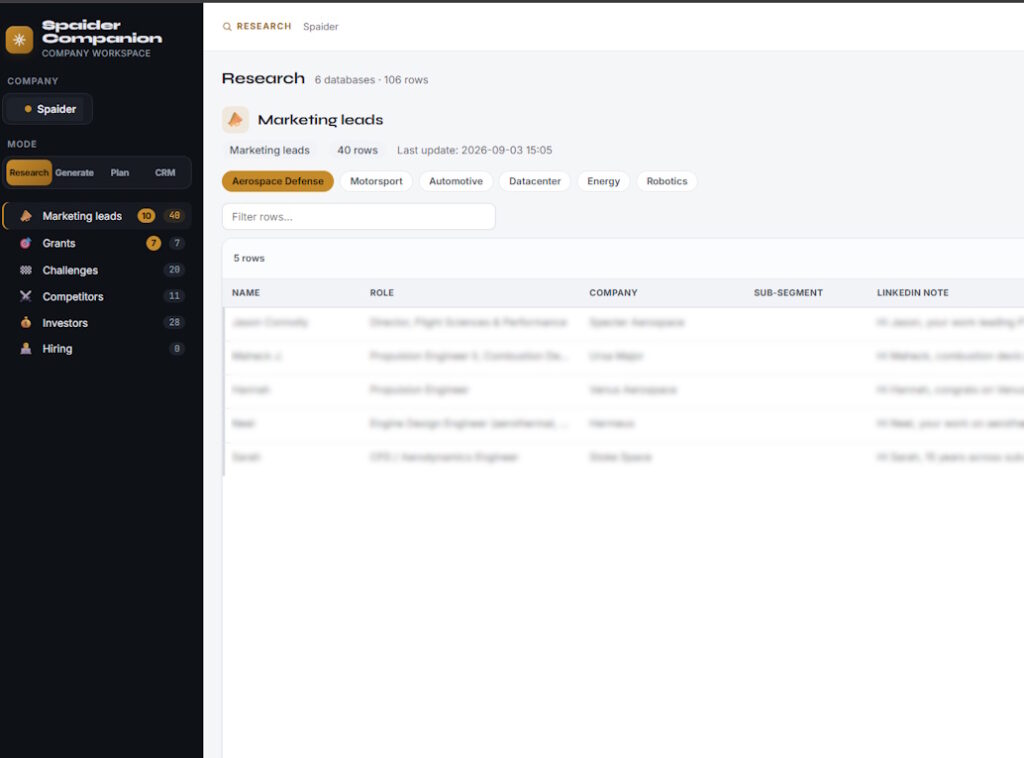
Six databases: marketing leads, competitors, grants, investors, open-innovation challenges and hiring. When asked, an agent searches public sources and fills them, knowing from MEMBRAIN who we are and what we are looking for. The team then works the rows: qualifies, discards, contacts. A lead marked as contacted leaves Research and moves to the CRM.
Databases: leads · competitors · grants · investors · challenges · hiring
Sources: public, live, searched on demand
Grounding: MEMBRAIN
Search rules: plain text files, owned by the team that uses them
Hand-off: contacted leads move to the CRM
Generate · company documents
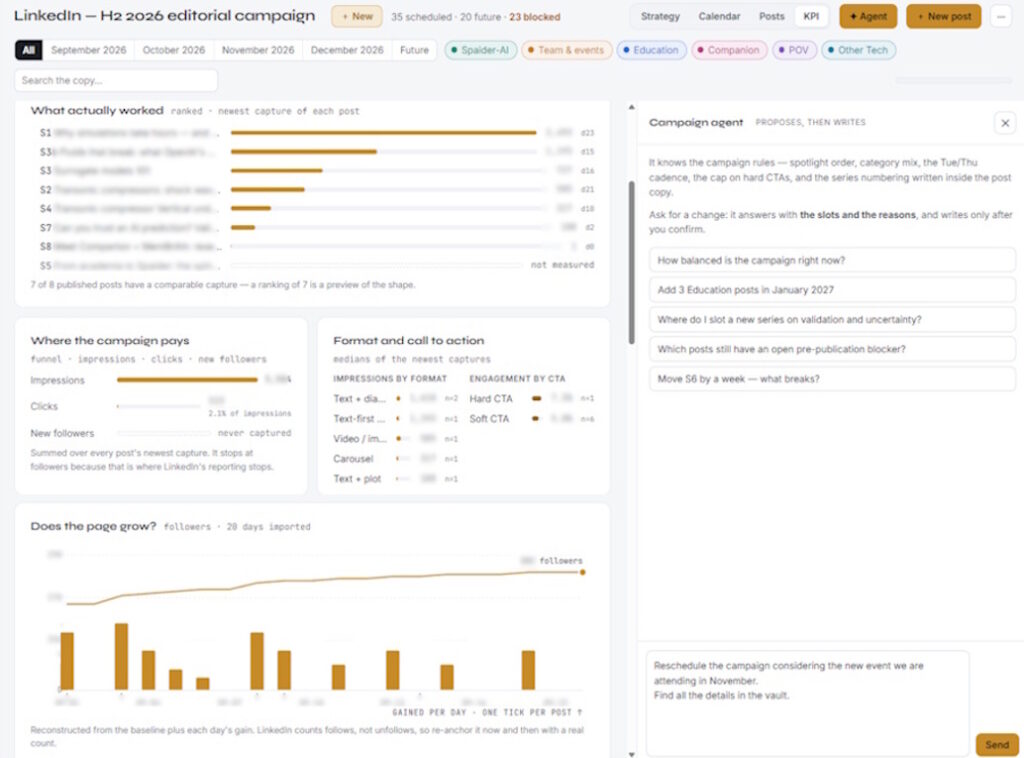
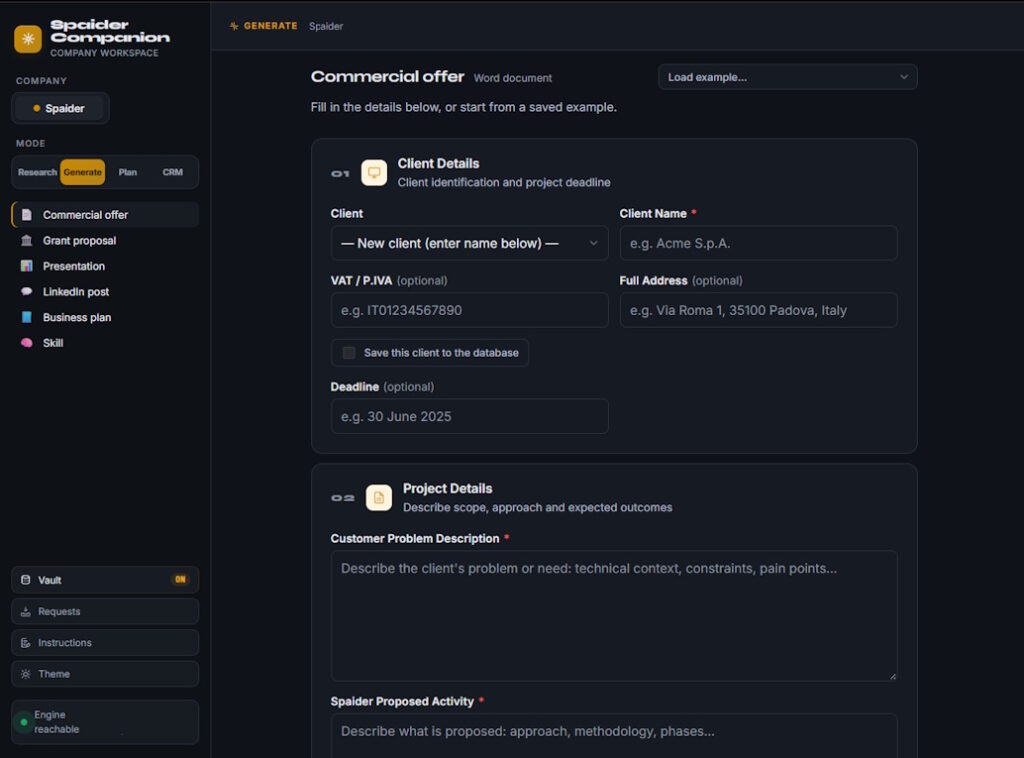
Commercial offers, grant proposals, presentations, LinkedIn posts, business plans. The generator reads MEMBRAIN before it writes a word, then fills our own template: out comes a file ready for review, not a draft to rebuild. One more document type, Skill, works the other way round: it interviews a colleague and turns what they know into a document we keep.
Document types: commercial offer · grant proposal · presentation · LinkedIn post · business plan · skill
Output: branded Word (with PDF) or PowerPoint file
Grounding: MEMBRAIN
Generation time: ~60–90 s
Plan · projects and time
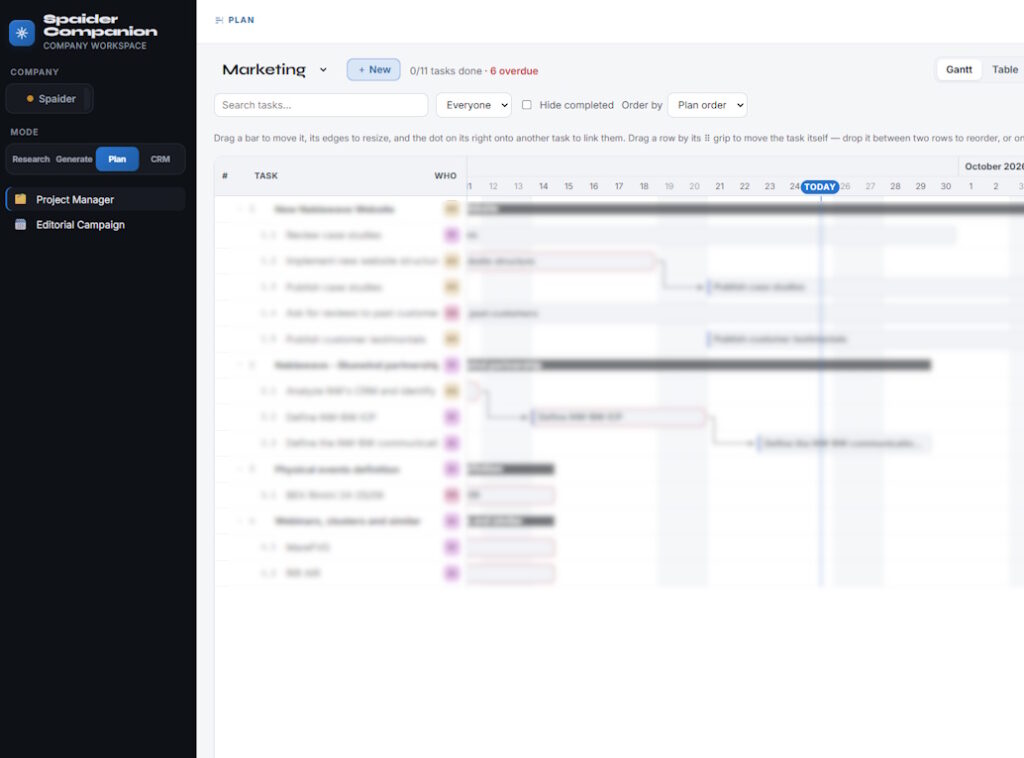
Projects, tasks and a Gantt: who does what by when, with every project on one chart. Deliberately the one mode with no agent in it. It is where people commit to work, not where work is generated.
Views: projects · tasks · one Gantt across all projects
Agents: none, by design
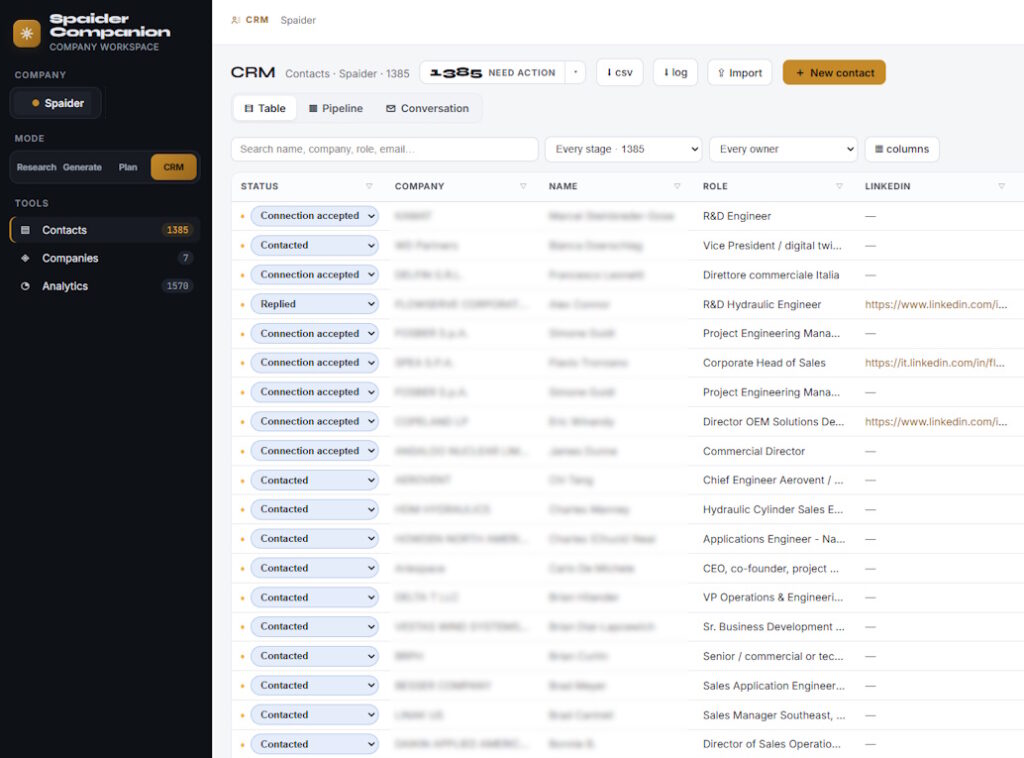
CRM · contacts
Every contact the team has spoken to, with a dated log of each stage and the funnel they add up to. Contacts arrive from Research or are entered by hand. Agents write to the CRM only through the same rules people do.
Records: contacts · dated stage log · funnel
Sources: promoted from Research, or entered by hand
Rules: priority and follow-up rules kept as plain text files